Open house sign-in sheet with a QR code
Print a sign-in sheet for any property. Visitors scan the QR code and sign in on their phone, and each sign-in arrives in your Leads.
How it works
Every property has its own printable sign-in sheet with a QR code. At the open house, visitors can write on the sheet or scan the code and sign in on their phone. Phone sign-ins become leads on that property, marked "Open house", and you get an email for each one.
It works the same for a private showing or a broker open.
Open the sheet for a property
- Go to Properties and open the property.
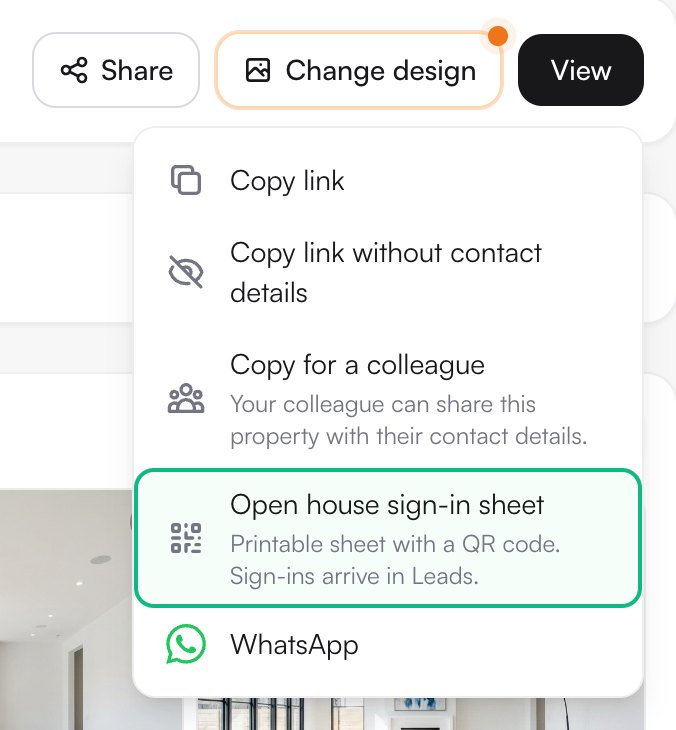
- Tap Share at the top.
- Choose Open house sign-in sheet.
Add the date and print
- Pick the date of the open house, type the time (for example 1–4 pm) and tap Save.
- Tap Print or save as PDF, above the QR code. In the print dialog, pick your printer, or choose "Save as PDF" to print it later.
- Leave the sheet at the entrance with a pen.
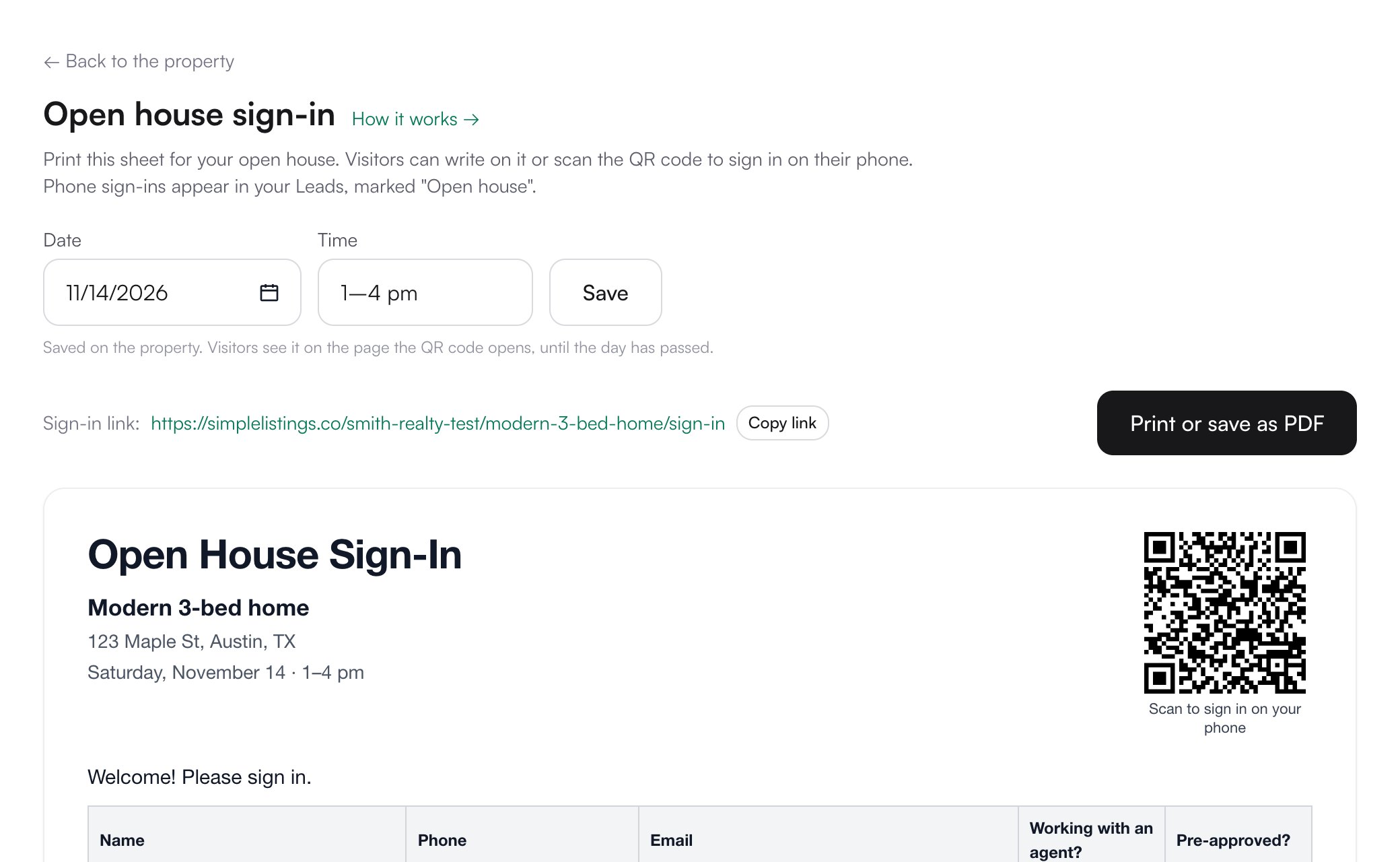
Note: The QR code belongs to this property. For another property, open its own sheet.
What visitors see
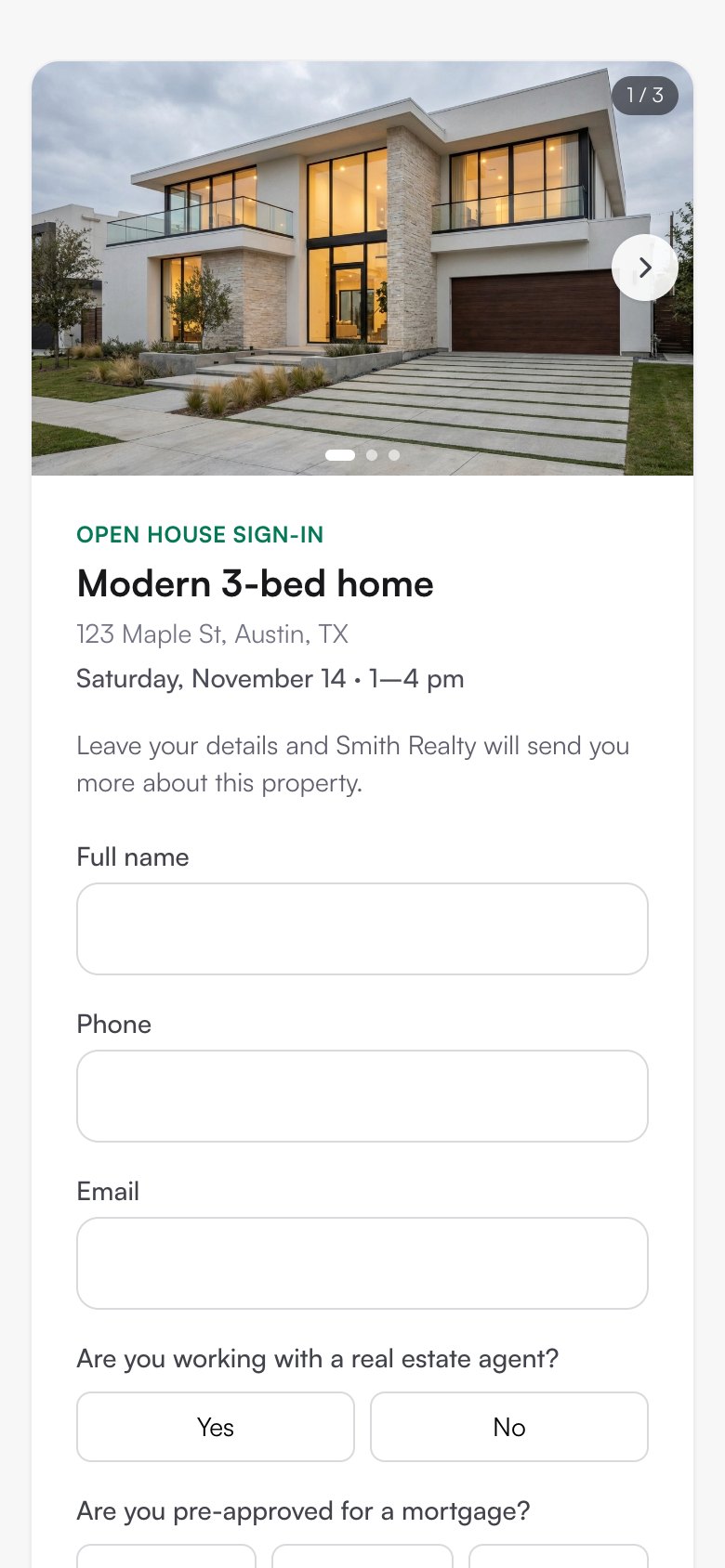
The QR code opens a short form with the property's photos, the address and the date. Visitors type their name and a phone or email, and answer two questions: whether they're working with an agent and whether they're pre-approved for a mortgage. No app or account needed: the phone's camera is enough.
After signing in, they can open the property page to see it again.
Using a tablet at the door
- On the sheet page, tap Copy link next to Sign-in link.
- Open the link in the tablet's browser and hand it to each visitor.
- After each sign-in, tap Sign in another visitor to clear the form for the next one.
Note: You can also share the sign-in link before the open house, in a story or a message, so people register in advance.
Where sign-ins go
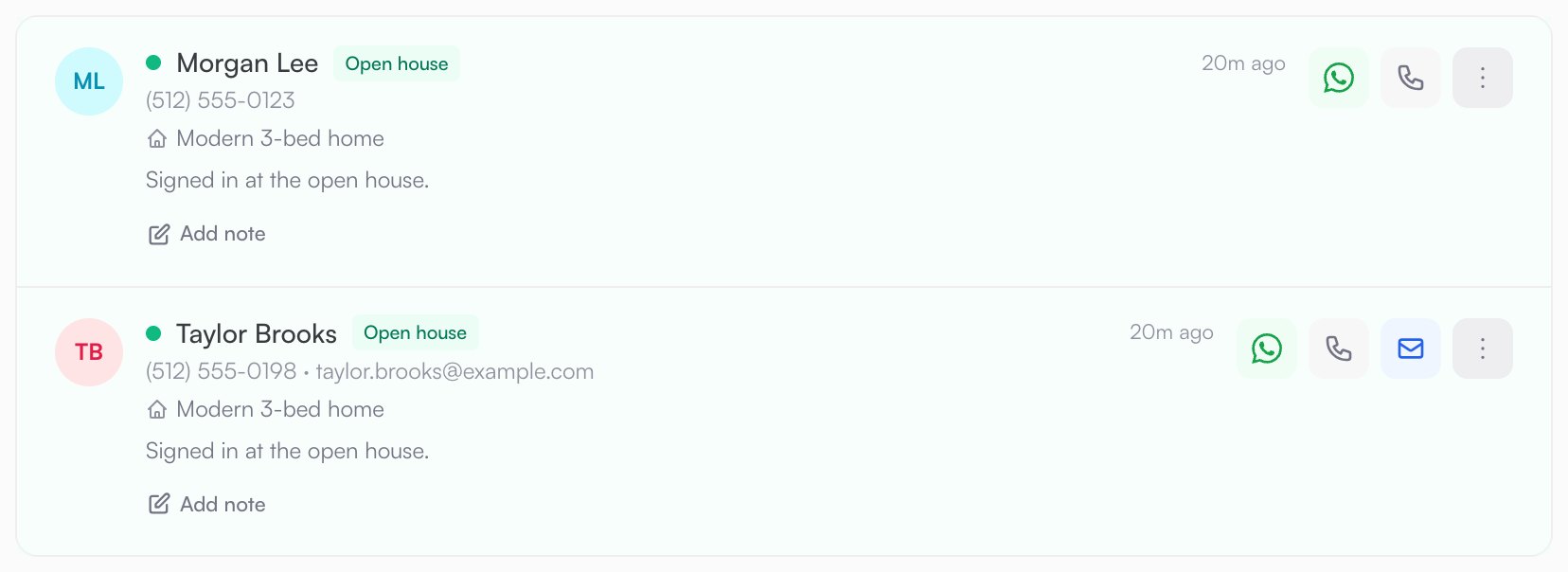
- Each phone sign-in is a lead in Leads, labeled "Open house", with the property attached.
- Their answers (working with an agent, pre-approved) are in the lead's details.
- You get an email for each sign-in. If the property has an assigned agent, they get it too.
- Names written on the paper sheet stay on paper: only phone sign-ins arrive in Leads.
Questions
Is it included in the free plan?
Yes. Every property has its sheet, and the free plan includes up to 3 properties.
What happens after the open house?
Once the day has passed, visitors no longer see the date and the date field is empty again. For the next open house, pick the new date and print the sheet again. The QR code stays the same.
Can visitors sign in without a phone number?
They need a phone number or an email, so you can follow up.
Is there a free version for any open house?
Yes: the free printable sheet at simplelistings.co/free-tools/open-house-sign-in-sheet makes a paper sheet without an account. The QR code needs the property in your account.