Multiple agents on one account
Add agent profiles for your team, assign them to listings, and share links that send buyers to the right person.
Who this is for
If more than one person sells on your SimpleListings catalog, team agents keep each agent’s listings, profile, and contact details organized.
This feature is available on Advanced plans. Each agent gets a public profile page you can share (for example in Instagram bio or WhatsApp).
Where to find agents
From your dashboard you can see a short summary of agents and how many properties and leads they have. Open Agents for the full list.
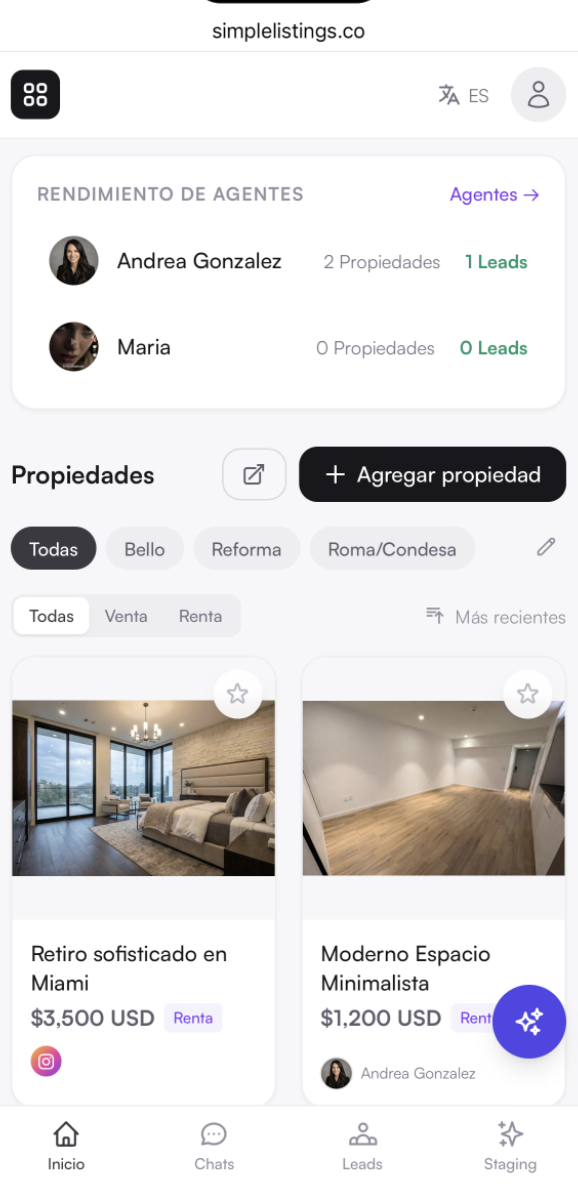
How to add an agent
- Open Agents from the menu or dashboard.
- Click Add agent.
- Add their name, photo, a short about text, email, and WhatsApp/phone number.
- Save and make sure the agent is Active.
Note: Add both email and phone. Email is used for lead notifications; phone is used for the WhatsApp button on their listings.
Assign listings to an agent
When a property has an assigned agent, buyers who tap WhatsApp or send the contact form are routed toward that agent (see Who gets WhatsApp and lead emails).
- Open the property in the editor.
- Choose the agent in Assigned agent.
- Save and publish.
- You can also assign several properties from the agent’s edit screen.
- Unassigned listings use your main store contact settings.
Two kinds of links (same page design)
Buyers can open a listing from your catalog or from an agent’s profile. The page looks the same; what changes is where “back” and share links go.
- Catalog link — your store URL (or custom domain). Good for your main website or ads.
- Agent link — looks like /a/agent-name/property. Good when that agent shares the listing personally.
- Contact still follows who is assigned on the property, not which link the buyer used.
Tips
- Keep agent photos clear and recent — they show on the public profile.
- If an agent leaves, deactivate them and reassign their listings.
- Your plan includes a maximum number of agent seats; extras may need an add-on.
Common questions
Do agents need their own SimpleListings login?
Agent profiles are managed from your account. You control who is listed and which properties they get.
Will buyers see every agent on every listing?
No. The public listings grid focuses on properties. Assigned agents show where it helps (for example on the property page or agent profile).